
In my case, I use an SSD and an HDD together, and one day all of the games stored on my HDD — that is, on the D drive — suddenly stopped being recognized as installed. On top of that, the D drive I wanted to install games to wasn't even showing up in Steam. Today I'll walk through how I solved this.

How to Fix Steam Not Recognizing Games on the D Drive
First, launch Steam. Below is the list of games installed on the D: drive. The folder marked with a red circle is where GTA5 is installed, but Steam failed to recognize it.
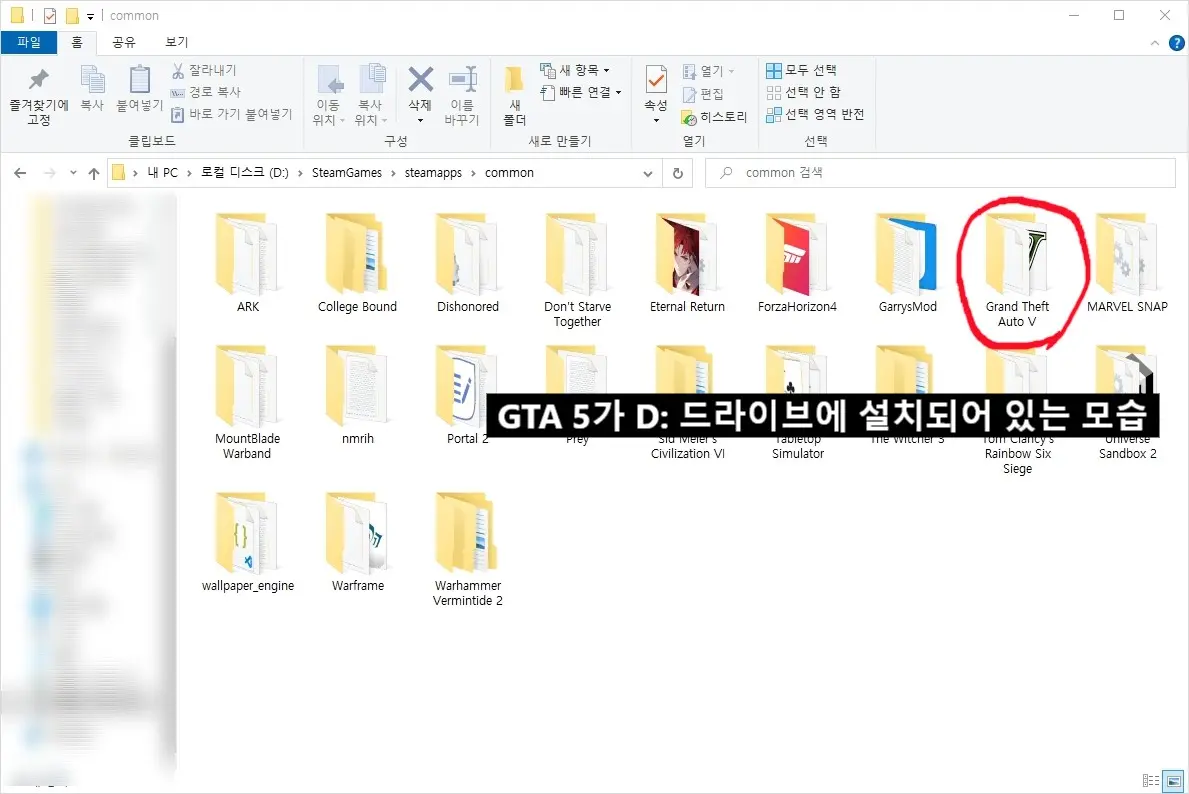

As shown above, the game shows an "Install" button instead of a "Play" button — that's the bug. Below is how to fix it.
The Fix
First, on the Steam screen, click the STEAM button in the top-left corner and open Settings. If the Settings button is grayed out, check whether Family Mode is enabled and turn it off if it is.
Once the Settings tab opens, choose the Storage tab from the menu on the left.
.webp)
You'll then see your local drives, external drives, and so on. Click on the section with your Local Drive (C:) and then click the + Add Drive button.
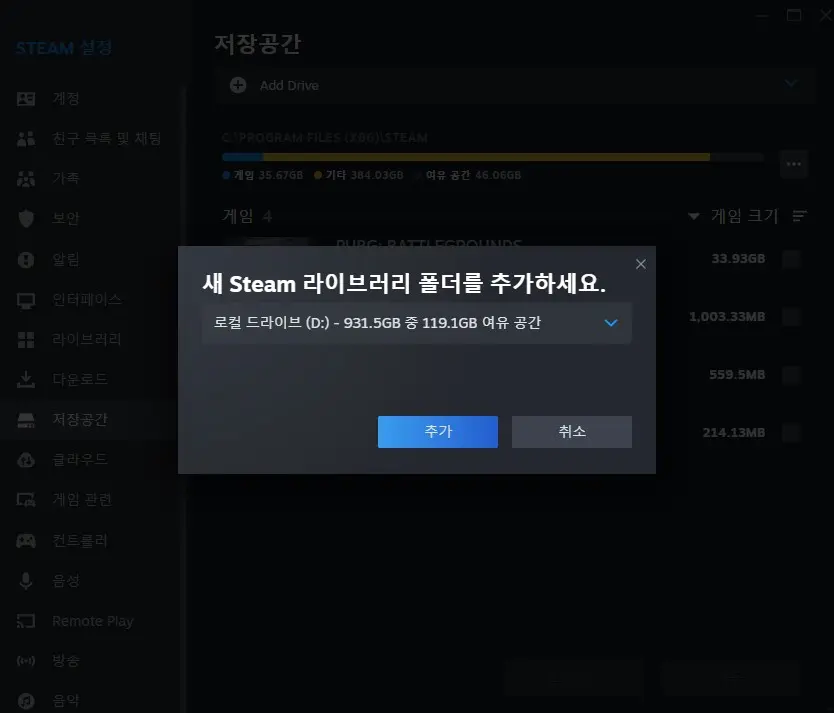
Select Local Drive (D:). After selecting it, check the games that weren't being recognized in your library. If they still don't show up, choose "Let me choose another location" when adding a new Steam library folder.
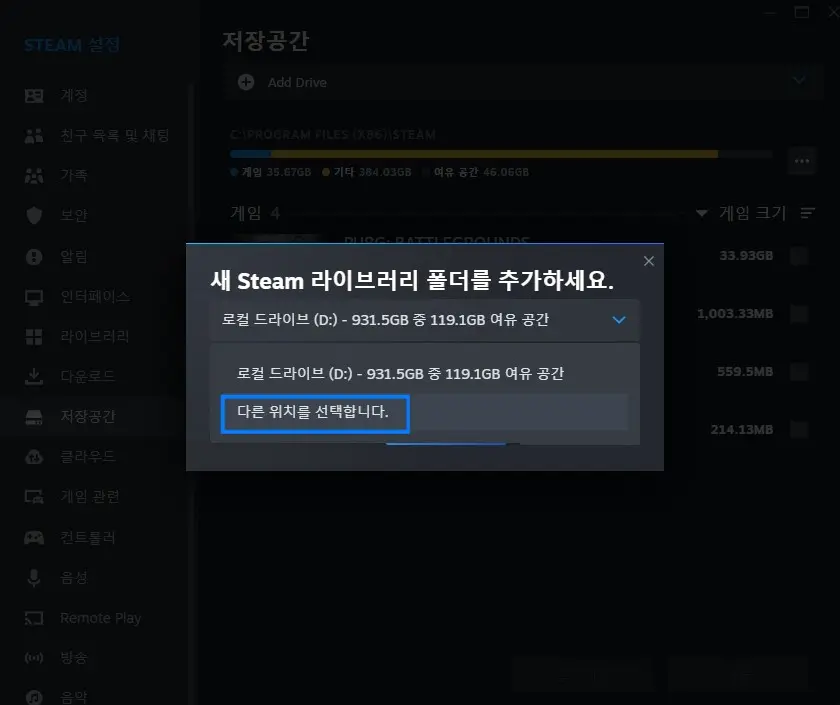
Once you choose another location, a folder-selection window appears. The key here is that you must point it to the parent folder of the steamapps folder. See the picture below.
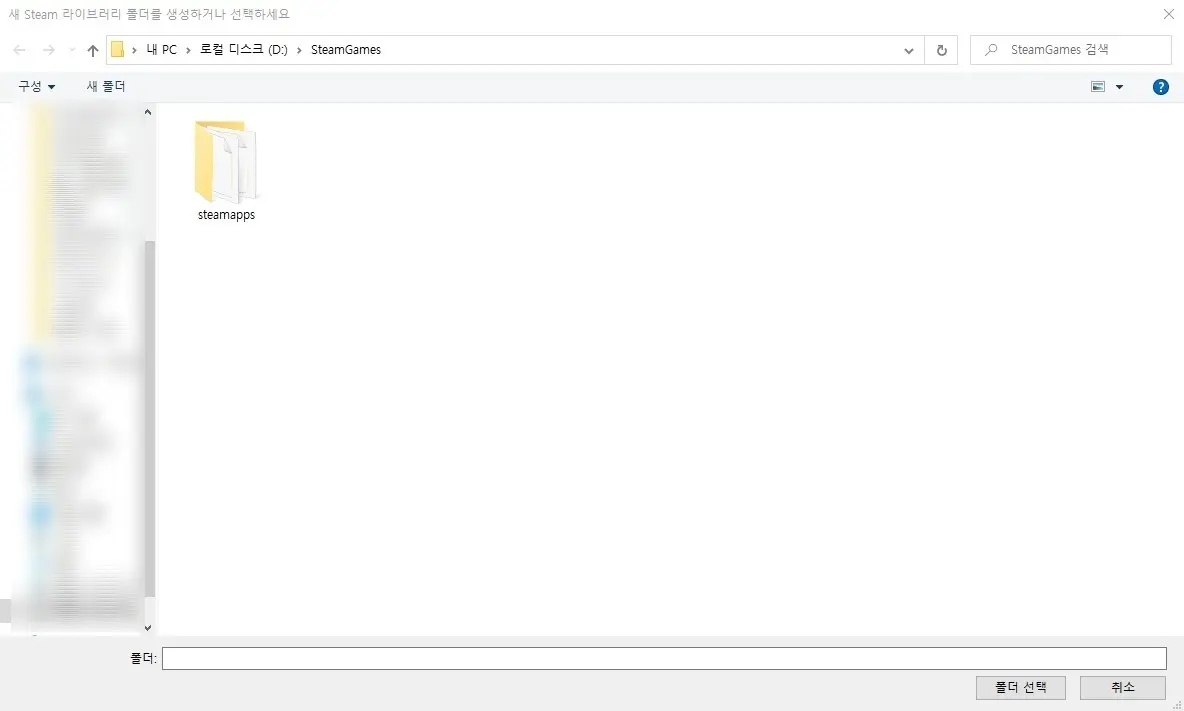
For me, simply pointing it at the D: drive didn't work (because I keep my Steam games inside a dedicated folder on that drive), so choosing "another location" did the trick.
All the games installed on the D drive are now recognized successfully.
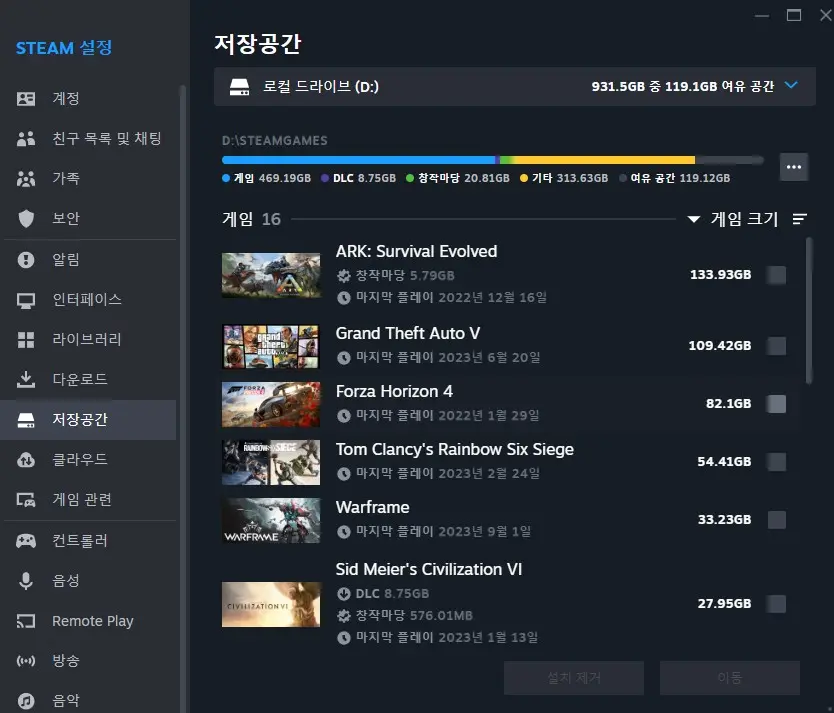
I was flustered at first, but I was able to fix it this way. I'm not entirely sure of the root cause, which is a little unsettling, but this got it working again. I hope it helps. Thank you.
Related posts
Stacklands: A Card-Based Survival Game — Review, Tips, and a Steam Game Recommendation
When you think of survival games, titles like The Forest or PUBG with their 3D graphics usually come to mind. But the game I'm introducing today survives without the flashy, realistic graphics of other survival games
oracionspace.com
Lies of P, a Korean-Made Dark Fantasy Soulslike — Minimum and Recommended System Requirements
Lies of P releases on September 19. It generated a lot of buzz before launch as a Korean-style dark fantasy soulslike, and players who tried it early say it's a well-made game
oracionspace.com
![[PUBG] 태이고 비밀의 방 위치, 한국맵 비밀 열쇠 사용 위치](/_next/image?url=https%3A%2F%2Fpub-38c14a7d808d49f1a2338cd01d667ee9.r2.dev%2F238%2Fpubg-secret-rooms-guide-2%20(1).webp&w=3840&q=75)