Recently, while organizing notes in Notion, I found it really frustrating that the loading would spin every time I opened a page. The more data piled up, the slower it felt, and there were many moments where I thought, do I really have to wait this long just to see one note? So while looking for an alternative, I came across Obsidian. Today, for those who've been frustrated by how slow Notion is, I'll lay out why I recommend the free note app Obsidian.
Obsidian | The Free Note App I Recommend If Notion Is Too Slow
Of course, Notion is a great tool too, and its collaboration and database features are still powerful, but for me — someone who needed a fast, lightweight personal notepad — Obsidian was a much better fit. Let me go through what's different, one by one.
Why Is Notion Slow?
First, let me point out why Notion gets slow. Notion is fundamentally a cloud (server)-based app. That is, every time you open a page, it requests and fetches the data from the server. So the perceived speed drops sharply in situations like these.
- Accumulated data: When you have many pages or database entries, loading can take 3–4 seconds or more.
- Complex databases: The more relations, rollups, and formulas you use, the heavier it gets.
- Images & external widgets: The more cover images and external widgets you have, the more server requests pile up, making it slower.
In the end, Notion's strength — being able to do everything — actually holds it back for lightweight note-taking.
Why Obsidian Is Fast
Obsidian, on the other hand, is a 100% local-based app. All your notes are saved not on a server but as Markdown (.md) files on your computer's hard drive. So when you open a page, it loads directly from your device without going through a server, which makes it really fast.
- Instant launch & search: Since all notes are text files, launching the app and searching are very fast.
- No limit on the number of documents: You can pile up unlimited notes, as long as your hard drive has space.
- Offline use: You can quickly handle large volumes of notes even without an internet connection.
In my case, after moving to Obsidian, the very sensation of waiting for a note app disappeared. It pops up right when I click, so my train of thought doesn't get interrupted.
Obsidian's Real Charm: Bidirectional Links and Graph View
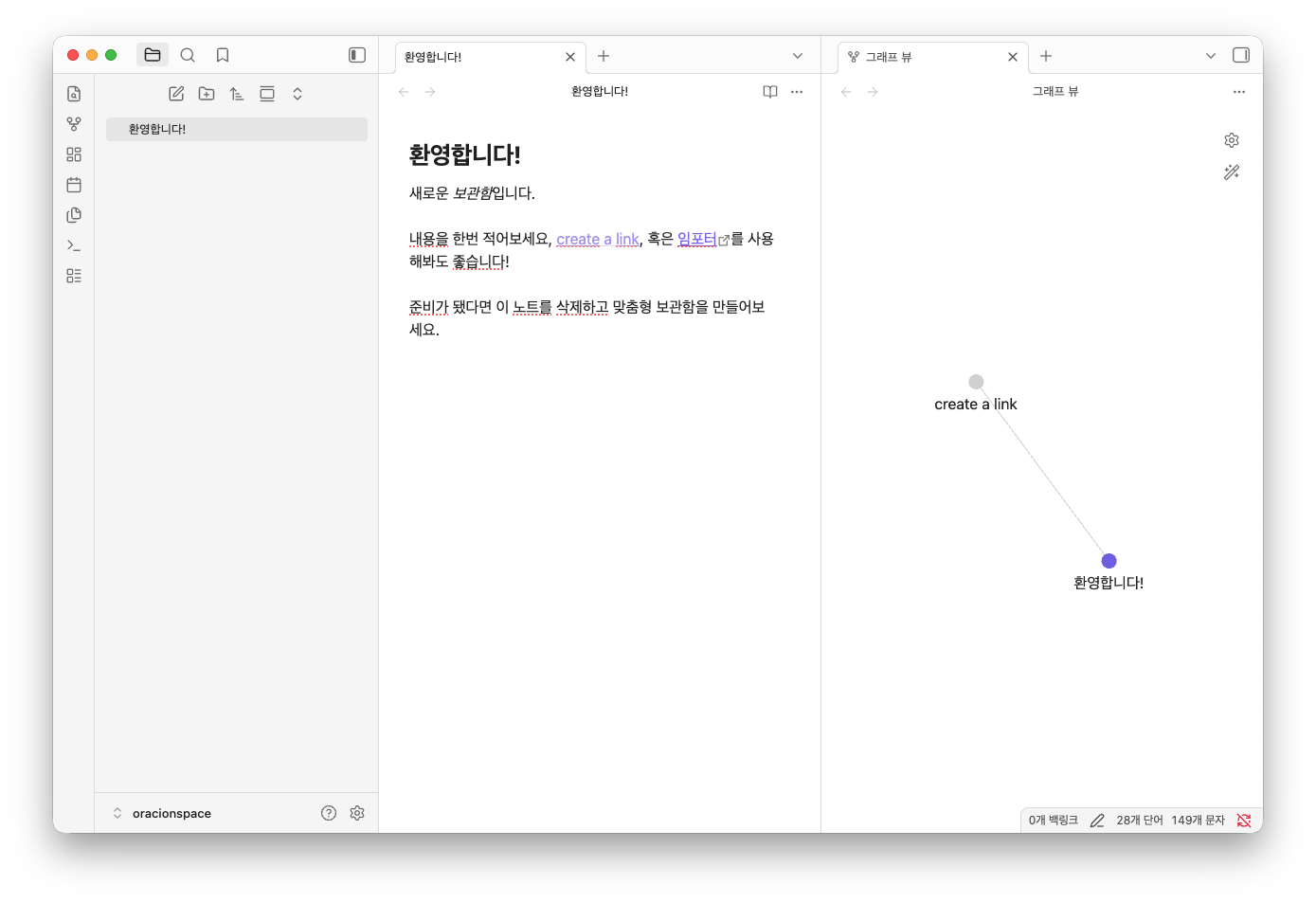
It's not just fast. Obsidian's core feature is bidirectional links (backlinks). When you link to another note in the form [[Note Title]], it's automatically recorded in the linked note's backlink panel, connecting both documents to each other.
On top of that, if you turn on Graph View, you can see at a glance — like a constellation — how your notes are connected. It feels like scattered thoughts get woven into a single knowledge network, so it's excellent for use as a personal knowledge management (PKM) tool, beyond simple note-taking.
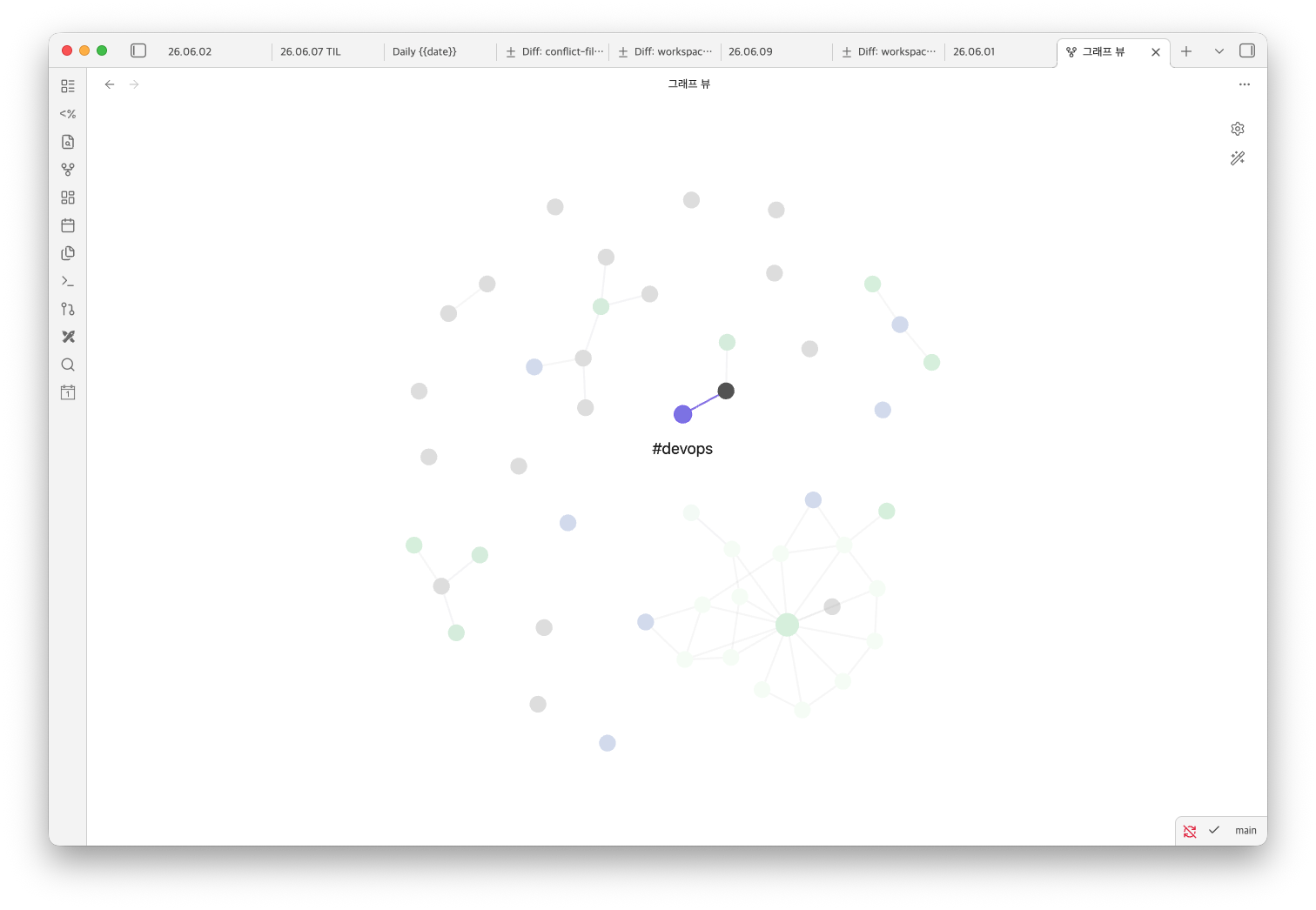
Obsidian also has a really wide variety of community plugins. You can easily extend it with the features you need — calendar, to-do management, kanban boards, and more — so the more you use it, the more you can build a note-taking environment tailored to you.
Pricing: How Much Is Free?
This is probably what you're most curious about. Obsidian's core app is 100% free. What's more, since February 2025, commercial (work) use is also free, so you can use it for company work without a separate license.
Paid plans apply only to add-on services. For reference, here's a summary.
- Obsidian Sync (sync across devices): about $4/month when billed annually
- Obsidian Publish (web publishing): about $8/month when billed annually
In other words, if you only use it as a personal notepad on a single device, you can enjoy all the core features without spending a penny. Sync, too, can actually be worked around for free by using a cloud folder (Dropbox, Google Drive, etc.).
For reference, the built-in sync feature Obsidian Sync is paid as above, but you can also sync for free using a Git-based plugin. It automatically commits and syncs your notes to a Git repository, so you can keep notes in sync across multiple devices at no cost. I'll cover this method separately in a future post.
Downsides Worth Knowing
Let me honestly point out the downsides too. With Obsidian, there's a bit of an initial learning curve until you get used to Markdown syntax and the plugin system. Unlike Notion, where a pretty template is whipped up with a few clicks, it can feel somewhat rough at first.
Also, its real-time collaboration features are weaker than Notion's. If your main use case is team work where several people edit one document at the same time, Notion may be a better fit than Obsidian.
To sum up, think of it as Obsidian if you want to quickly organize and build up your thoughts on your own, and Notion if you need databases and collaboration with multiple people.
Wrapping Up
If you've been frustrated by how slow Notion is, I recommend giving the lightweight, fast local note app Obsidian a try. All its core features are free, and once you get used to Markdown, it's a tool that satisfies on both speed and extensibility. The initial entry may feel a little unfamiliar, but you'll adapt quickly after just a few days, so don't worry too much!
If you run into anything while switching to Obsidian, or have a plugin worth recommending, please share it in the comments. I hope this post helps with your note-app dilemma!
Related posts
How to Choose a Graphics Card That Cuts After Effects Render Time by 70%
How to Choose a Graphics Card That Cuts After Effects Render Time by 70%
How to choose a graphics card that cuts After Effects render time by 70%. Adobe After Effects, used for motion graphics, visual effects, and compositing, is loved by many creators from pros to beginners
oracionspace.com
NVIDIA RTX 4000 Series vs. AMD Radeon: Full Performance Comparison
NVIDIA RTX 4000 Series vs. AMD Radeon: Full Performance Comparison
A complete comparison of RTX vs. Radeon graphics cards — a 2025 performance analysis. A graphics card is one of the most important factors for PC gaming and work performance. Today, NVIDIA's RTX 3000 and 4000 series, and AMD's Radeon
oracionspace.com
7 Popular Vampire Survivors-like Games of 2025
7 Popular Vampire Survivors-like Games of 2025
7 popular Vampire Survivors-like games of 2025. Hello! This is OracionSpace. Lately, the genre called Vampire Survivors-like has been hugely popular in the gaming market
oracionspace.com